Loop Start at the Front

I’ve been a fan of the loop start method in cross stitch since I learned it about a year ago. That is until recently, when I learned the even more awesome loop start in the front method. I’m a total convert so I thought I would share it.

Here’s a basic cross stitch square. We’re going to start a new thread by making the first half of a stitch from A to B:

Cross stitch square

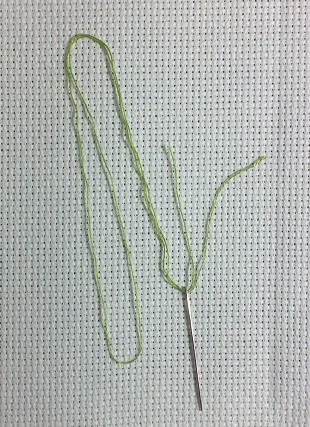
Step 1: Cut a piece of floss double the length that you would normally work with. Separate out a single strand of floss. Fold the floss in half and thread the open end through the needle.

Doubled up thread passed through needle

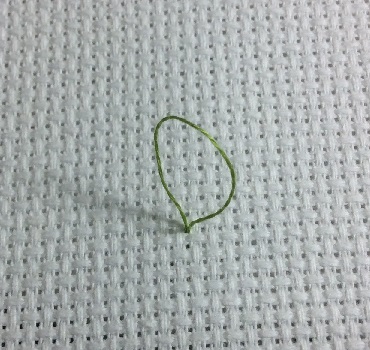
Step 2: Pass the needle from the front of the fabric to the back of the fabric through hole A, leaving a loop at the front of the work.

Insert needle from front to back through first hole

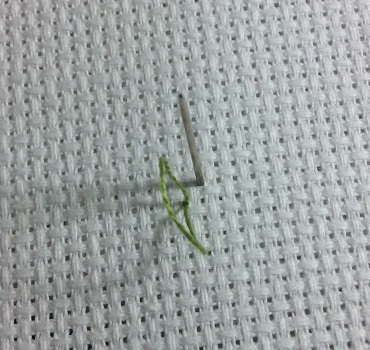
Step 3: Bring the needle back up through hole B.

Bring needle back through second hole to front

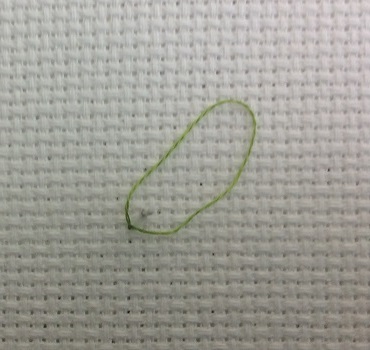
Step 4: Pass the tip of the needle through the thread loop.

loop_start_4

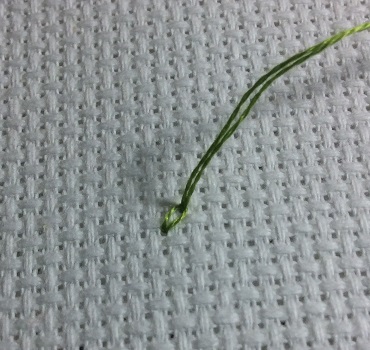
Step 5: Pull the thread tight.

Pull thread tight

Step 6: Pass the needle back down through hole B.

Pass needle back down through second hole

Step 7: Pull the stitch tight. This will force the knot to the back of the work.

Pull stitch tight

Voila! The new thread is secured and you didn’t have to access the back of the work. How cool is that?

Shrink plastic Legend of Zelda rupee keychain

Shrink Plastic Rupees

My latest shrink plastic creation is a Legend of Zelda rupee keychain.

I started with this rupee image from Zelda Universe. I printed out the image, traced the outline of three rupees onto a piece of clear Shrinky Dinks shrink plastic (unsanded), cut them out, and used a 1/8-inch hole punch to add holes to both ends of two rupees and only one end of the third rupee (this will be the last one of the chain).

Pre-shrinking shrink plastic Legend of Zelda rupees

Into the toaster oven they went, and out came some lovely shrunken rupees.

Post-shrinking shrink plastic Legend of Zelda rupeesI painted the backside of each rupee with three coats of standard acrylic paint – one red, one green, and one blue. paintAfter these were dry I carefully scraped any excess paint off the sides of the rupees using a craft knife and off the front of the rupee using my fingernail. Be careful scraping the front as you can (and I did) accidentally scrape off some of the outline.

Once I was happy with the paint job, I added three coats of a gloss varnish and again scraped off the excess once they were dry.

The final touch was to colour the edges of the rupees with a black permanent marker to give them a finished look.

Painted shrink plastic Legend of Zelda rupees
Three jump rings and a keyring later I had a finished keychain.

Shrink plastic Legend of Zelda rupee keychain

If I were doing this again, the only change I would try would be to colour the edges of the rupees with black marker before adding the varnish, and to varnish the edges as well as the back to seal in the marker. I’m finding mine let off a bit of colour if I run a finger along the edge of a rupee. However, trying to seal the edges without gunking up the front could be a challenge.

I’m enjoying playing with shrink plastic and trying different techniques for how to colour it. If you have a favourite method I would love to hear about it.

Sprite Stitch Stitch-a-Long Week 4

For the final week of the Sprite Stitch stitch-a-long we were able to choose our favourite from the submitted designs to stitch. The Elder Scrolls V: Skyrim is hands down one of my all time favourite video games. It is second only to World of Warcraft for the number of hours it has sucked from my life – and it was worth every one of them. So I knew my final square would have to be one of the two great Skyrim designs that were submitted to the stitch-a-long.

Here are the Skyrim patterns I had to choose from:

Skyrim stitch-a-long patterns

The first was created by Pyper and provides room to experiment with some blackwork. The second was created by BooChocoBoom and is hard to resist if you have a soft spot for the Thieves’ Guild.

I loved the idea of trying my hand at some blackwork and originally started into that pattern. However, it became apparent that within the context of my entire project the blackwork just didn’t fit in and made this pattern stand out heavily from the rest. So I pulled out the stitches and opted to commemorate the Theives’ Guild instead.

Here’s the final square:

Skyrim Thieves' Guild cross stitch

I’m not very happy with how the yellow for Devlin’s goatee blends in with the rest of his face. I literally tried eight different shades of yellow and didn’t like any of them. I may still pull it out and make it brown instead. It wouldn’t be true to the game, but at least it would be noticeable that way. Does anyone have any suggestions?

Here’s my official finished sampler:

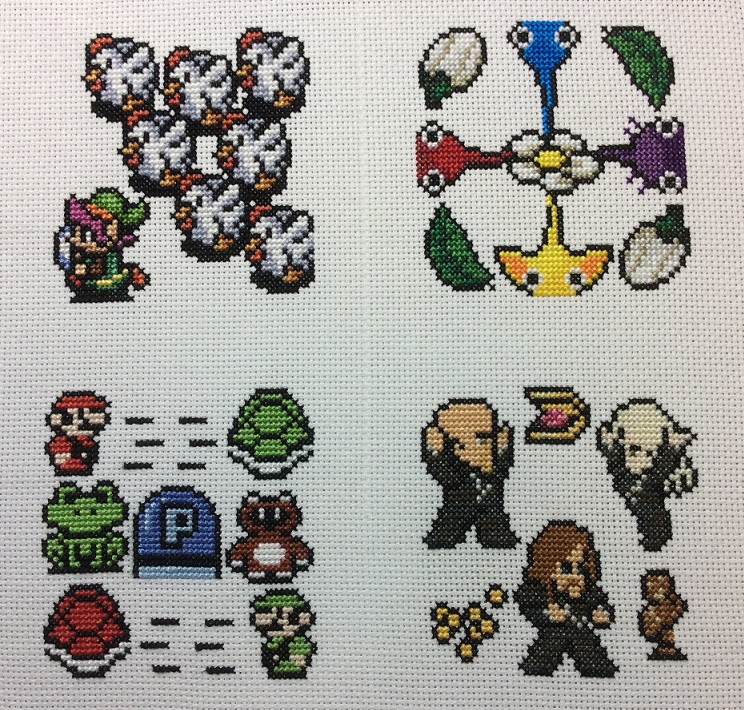
Sprite Stitch stitch-a-long sampler

Although the official stitch-a-long is over, I am still planning to stitch another twelve squares for display in a multi-frame, so be sure to watch for more updates. You can also check out the rest of the stitch-a-long group’s progress over on Sprite Stitch.

Chain Mail Jewellery

I spent yesterday morning at a fantastic chain mail jewellery workshop. It was taught by Cherida McCullagh of Canadian Made Creations as part of the Huron County Creative Arts Festival. I came away from the workshop with the knowledge of two basic chain mail weaves and enough supplies to complete two bracelets.

The first weave is a basic Byzantine. Here’s the finished bracelet and a close-up of the weave:

Chain maille Byzantine weave bracelet

Chain maille Byzantine bracelet close-up

The second weave is called Rhinos Snorting Drano (gotta love the names people come up with!):

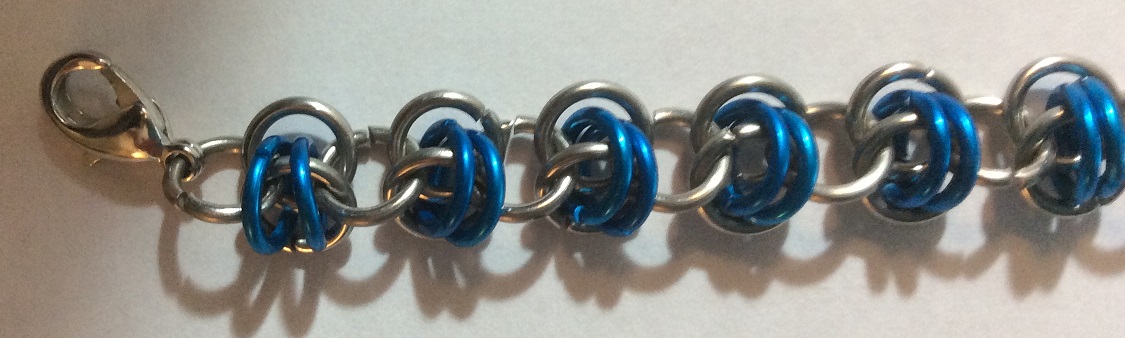
Chain maille bracelet Rhinos Snorting Drano

Chain maille bracelet Rhinos Snorting Drano close-up

Both bracelets are made with 18-gauge, 3/16 inch (inner diameter) rings. The silver rings are stainless steel and the coloured rings are anodized aluminum.

Cherida has been making chain mail jewellery for four years after attending a jewellery workshop herself and falling in love with the craft. She is an excellent instructor and her passion for the art is contagious.

Chain mail is definitely fiddly and hard on the hands, so I have a new admiration for anyone attempting to make an entire suit of armour. But I enjoyed making the bracelets and am amazed by the vast number of weaves that have been created, and how many different looking products can be made with something as simple as jump rings. I certainly see more chain mail jewellery in my future.

Shrink Plastic Akatosh

I’m having a blast trying out some different techniques for shrink plastic and have found that a really intricate look can be achieved by simply cutting a shape from plain white shrink plastic. As a huge Elder Scrolls: Skyrim fan I decided to have a go at a shrink plastic Akatosh. I started with the Akatosh silhouette created by RocketmanTan on DeviantArt, resized to approximately 5-inches tall. I printed off the image and carefully cut away all the black with a small pair of scissors and a craft knife. I then traced the stencil onto a piece of white shrink plastic and again carefully cut away the image.Shrink plastic Akatosh stencil

A little bit of shaping and the final piece was ready to shrink.
Pre-shrinking shrink plastic Akatosh pendant

This is where I learned that intricately cut items don’t play nice in the toaster oven. I wish I had some pictures of what this did, but I was too busy trying to fix it to snap any. The entire thing managed to completely twist in on itself with the bottom piece curling up and right through the hole in the centre of the image forming a knot. It turns out, however, that shrink plastic is pretty amazing stuff and with enough patience you can fix almost anything. I spent close to ten minutes repeatedly returning the piece to the oven until it started to soften and then removing it and carefully trying to untwist the work. Eventually I did get it untwisted but finally gave up when it came to straightening the sides.

Misshapen shrink plastic Akatosh pendant

I think with enough return trips to the oven I could have eventually straightened it out, but it would never quite be perfect due to the extra stretch the plastic endured from twisting.

Instead I opted to start again, this time leaving more plastic around the outside of the image in the hopes that this would help prevent the plastic from twisting in on itself.

Success!

Finished shrink plastic Akatosh pendant

I’m pretty pleased with how this turned out. People I have shown it to think it was either laser cut or 3D printed. But no, it was just a piece of plastic in my toaster oven.

Finished shrink plastic cameo

Shrink Plastic Cameo

I finally caught up with my stitch-a-longs a got a bit of time to play with something else. Remember Shrinky Dinks? The thin plastic you’d colour on and then watch as they magically shrunk in the toaster oven into a small hard piece of plastic with a fully detailed miniature version of your artistic creation in tact?

Turns out they are still magical.

After flipping through Shrink! Shrank! Shrunk! an absolutely delightful book by Kathy Sheldon and seeing designer Tamara Berg’s take on a shrink plastic cameo, I knew I had to try one out for myself. With a geeky twist of course! Who better to immortalize in shrunken plastic than Link from The Legend of Zelda?

I started with two packages of shrink plastic in clear and white.
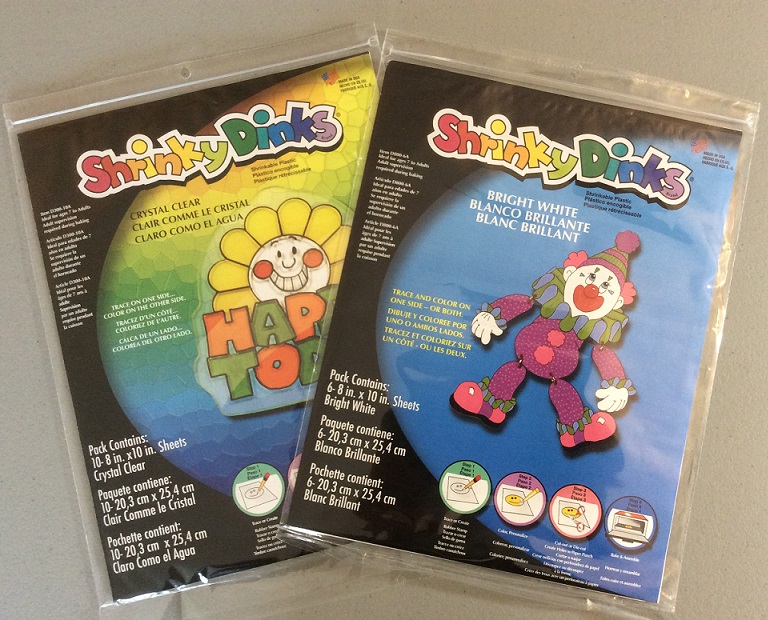
Crystal Clear and Bright White Shrinky Dink packages

Since the clear plastic is quite smooth, it’s difficult to colour with pencil crayons unless you rough it up a bit first. Using a fine grain sand paper I fully sanded one side of a piece of plastic – first sanding horizontally across the piece, and then rotating the piece 90-degrees and sanding horizontally again. This meant the piece was fairly evenly sanded. I wiped the sanding dust off the piece with a soft cloth (read my pant leg) and was good to go.

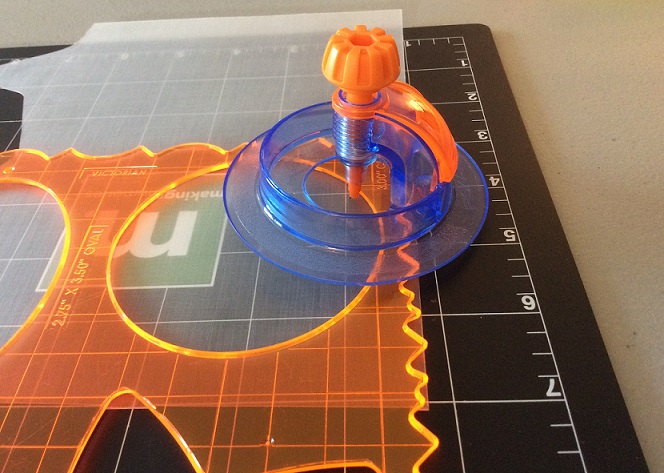
I cut out a three-inch circle for the center of the cameo using a Fiskars circle cutter and then coloured the rough side of the plastic with a green pencil crayon.

Fiskars circle cutterBad move. Cutting and then colouring left concentrated spots of colour around the outside of the circle (which were even more obvious after shrinking).
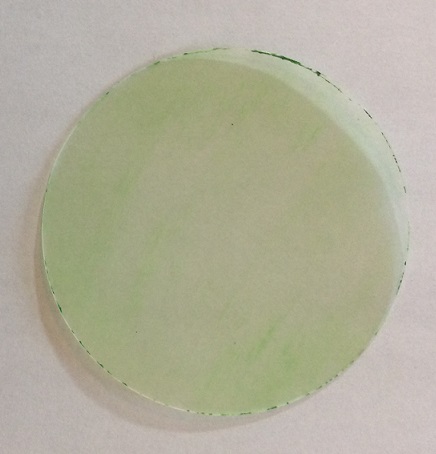
Poorly coloured circle

So I threw this circle away and started over, this time colouring an area larger than the circle before I cut it out. I also switched to a darker shade of green for the second circle as I wanted to colour to really pop against the white.

For a white piece for the back of the cameo I used the template from the Shrink! Shrank! Shrunk! book, but there is no shortage of similar badge shapes to be found with a quick Google search.

You can see through the white shrink plastic a small amount but I found it easier to trace the template onto a piece of white paper, cut that out, and then trace around the paper template onto the shrink plastic.

Here’s the final two circular pieces before shrinking:Cameo circles before shrinking

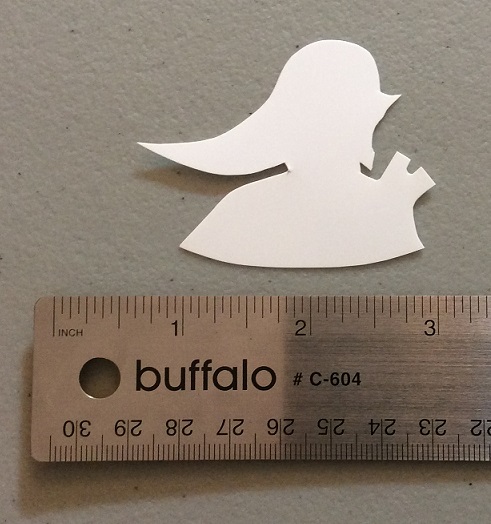
Lastly, is the silhouette for the center of the cameo. I took the head off this gorgeous Link silhouette by Sora3087. Again, cutting the template out of paper, tracing it onto the shrink plastic, and using a small pair of scissors to cut out the image.

Link stencil and tracing

Link before shrinking

Now for the fun part. The specific Shrink plastic directions (time and temperature) will vary based on the brand and type, but the basic concept is always the same. Place the pieces on a parchment lined tray in the toaster oven and watch as they begin to contract and curl, and then somehow, magically, flatten back out. After the pieces flatten, wait another 20-30 seconds before removing them from the oven, immediately transfer them to a perfectly flat surface (I used my counter top) and place a heavy, flat object on top. (I swear I have some textbooks that I’ve used more since I started crafting than I ever used in the classes they were for. They’re a perfect heavy, flat object).

Here’s the shrunken goodness:

Cameo pieces after shrinking before assembly

All that’s left is assembly. I recently discovered E6000 glue and so far I like it. It’s super strong, waterproof, and dries clear. The only drawback is that it’s supposed to be brushed on both surfaces to be bonded, which is easier said than done when trying to glue an intricately cut shape to a circle. In the end I covered the back of the Link cut-out, but just put a couple spots of glue on the circle in areas I knew would be covered by the silhouette. I then made sure to leave it alone to cure for a day and it seems to have worked out.

After the glue was fully cured I drilled a hole through the two circular layers using a 1/16″ drill bit and fed a jump ring through.

Here’s the final result:Finished shrink plastic cameo

You could use a hole punch to make the hole before baking, but the idea of trying to perfectly line up those holes while gluing the pieces together, and not filling the hole with glue, seemed a little too challenging to me.

This was insanely fun to make, and I have a bunch more Shrink Plastic projects in the works, so keep a look out!

Sprite Stitch Stitch-a-Long Week 3

So I’ve chickened out and switched from 14ct aida to 16ct for my Sprite Stitch Stitch-a-Long project. If you recall from my first post the stitch-a-long consists of four video game themed squares, but I’m planning to extend my sampler with a bunch more of the submitted patterns for display in a 16 picture multi-frame. When I tried to align the couple of squares I had stitched on 14ct fabric into the frame, it became apparent that due to the bars on the frame not being perfectly straight I had zero wiggle room for some of the squares. Meaning if my blocking isn’t completely perfect I’ll be in danger of losing some rows of stitching under the cross bars. I don’t have a lot of faith in my blocking skills so a higher count fabric will give me a little more room for error.

Here’s the new fabric gridded off before I started stitching:

Gridded aida for stitch-a-long

You can see that there’s a lot more space between where the stitched blocks will be (marked with the pink lines) and the bars on the frame. It’s a little more space than I would have liked but hopefully it will still look pretty good.

I started stitching the new fabric with the week three square – a Super Mario Bros 3 motif designed by SofaraStarfyre.

Here’s the finished result:

Super Mario Bros 3 cross stitch

There’s only one more official week to go, but there are still plenty of people just getting started, so head over to Sprite Stitch to join in on the fun!

Frosted Pumpkin Stitch-a-Long May

I’ve never joined a stitch-a-long before, and now this year I’ve somehow joined two! But how could I possibly resist the adorableness that is Amanda and Ashleigh’s Frosted Pumpkin Stitchery?

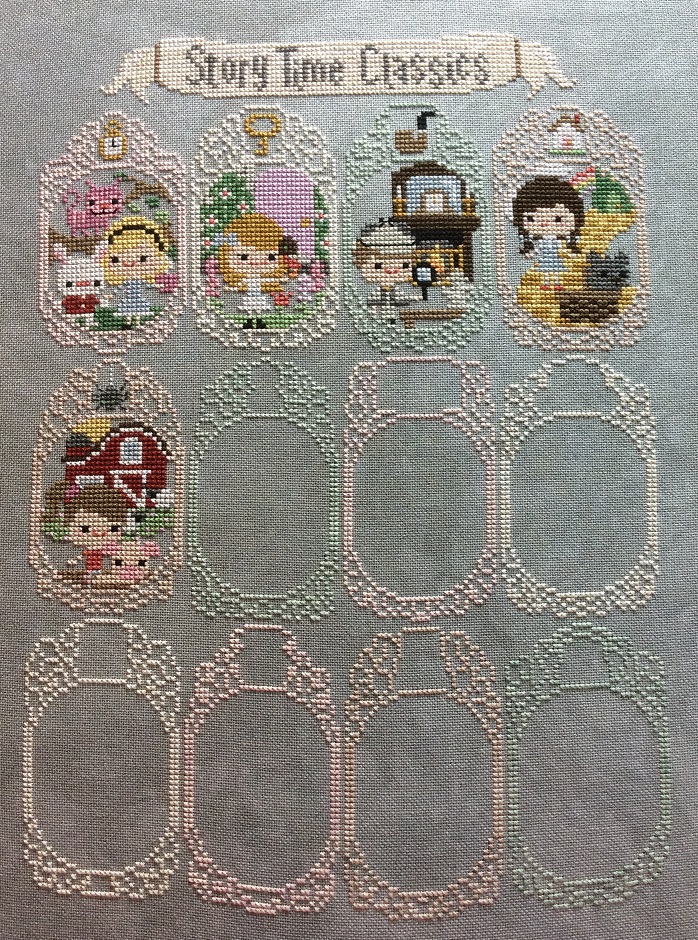
The Story Time Sampler releases a new kawaii-style motif from a classic children’s book each month for the year. I was a little late getting started on this one but am finally caught up.

Here’s where it’s at so far:

Frosted Pumpkin Story Time Sampler

And the close up images for each month:

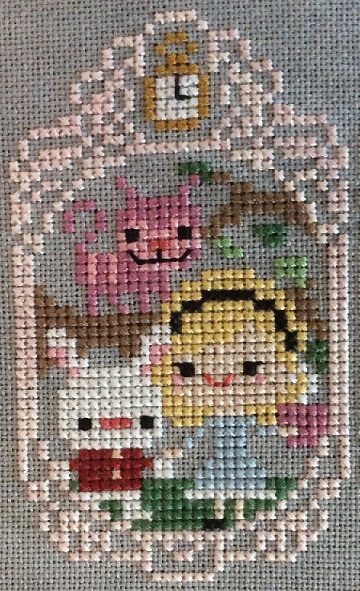
January – Alice in Wonderland

Cross stitch of Alice in Wonderland

February – The Secret Garden

Cross stitch of The Secret Garden

March – Sherlock Holmes

Cross stitch of Sherlock Holmes

April – The Wizard of Oz

Cross stitch of The Wizard of Oz

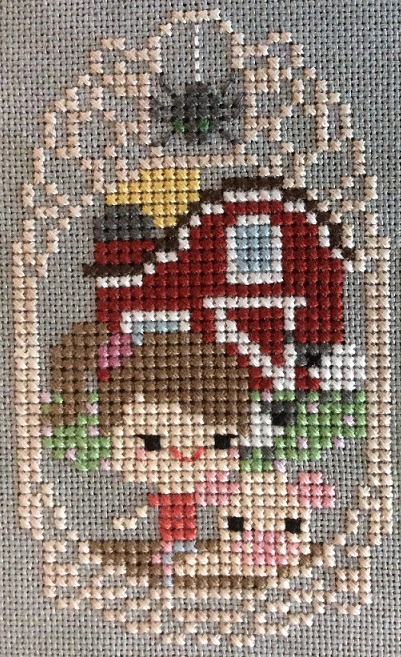
May – Charlotte’s Web

Cross stitch of Charlotte's Web

This is one of the most fun to stitch projects I’ve ever done, and once you get past the first month, which includes all the frames and the banner, each month’s installment only takes a few nights to stitch. Meaning it’s a delightful distraction from whatever else I’m working on.

Sprite Stitch Stitch-a-Long Week 2

This second square for the Sprite Stitch SAL is from Pikmin 2 and was designed by katdun.

Pikmin 2 cross stitch square

It’s stitched on 14 count aida with two strands of floss.

I’ve never played a Pikmin game but they look pretty cute. I may have to search for a copy of Pikmin or Pikmin2 and brush the dust off the Wii…

I haven’t decided yet whether or not I will fill in the background on the squares. I think this one would look great with the background filled in, but I don’t want to do that much stitching until I’m sure this project will work in the frame I picked out. Once I’ve stitched a few more squares I should have a better idea whether I think this will work or if I’ll need to restart with a smaller count of fabric. It’s all about the trial and error!

Sprite Stitch Stitch-a-Long Week 1

I’ve been an avid lurker on the Sprite Stitch forum for a couple of years now. It’s an incredibly talented and supportive community focused primarily on cross stitching video game images. My favourite part of the forum is the challenges which includes monthly competitions, a yearly stitched quilt created for charity, swaps, and currently a stitch-a-long.

The stitch-a-long started in April with the creation of 52 patterns by forum members, followed by a vote for the favourites. From the favourites, a new pattern is being randomly selected each week for everyone to stitch. After four weeks of stitching we’ll each have a cute sampler made up of four video game themed squares.

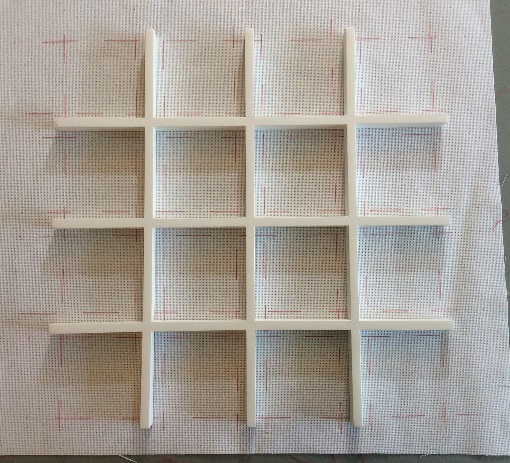
The patterns submitted are so incredible that I really want to stitch more than four of them. I started by searching for a frame since I knew this would impact the size of fabric I would use for the squares. I was picturing a frame that would hold nine or so squares, but I ended up with this great Umbra frame instead:

Umbra Gridart 16-Opening Picture Frame

Sixteen squares is a bit more ambitious than I originally intended, but I’m pretty exciting about it. I bought my frame from Blacks but it’s readily available in many places including Amazon.

Each square in the grid is 3 3/4 x 3 3/4 inches. The pattens I will be stitching are each 50 x 50 squares, so I decided to go with 14 count aida. It’s a bit of a risk since it makes each finished square just over 3 1/2 inches, meaning there isn’t a lot of wiggle-room in the spacing. But if it works I think it will look fantastic.

I started by griding off my fabric based on where the section bars on the frame sit, and then I began stitching:

Fabric grid

(I was too eager to start stitching to get a pic first, so the first square is already stitched).

The first square is a scene from The Legend of Zelda: A Link to the Past (one of my all-time favourite Zelda games) designed by blackberrybear. Anyone who has played the game will likely know how mean, yet hilarious, it was to hit a cucco until Link was attacked, and blackberrybear has perfectly captured that feeling in cross stitch.

Here’s the original image:

cucco attack

And my finished square:

Cross stitched Link with Cuccos

It’s stitched with two strands of floss on 14-count aida.

Be sure to check out Sprite Stitch for the full pattern.